Best Fitness Trackers 2026: How to Choose One You'll Actually Wear
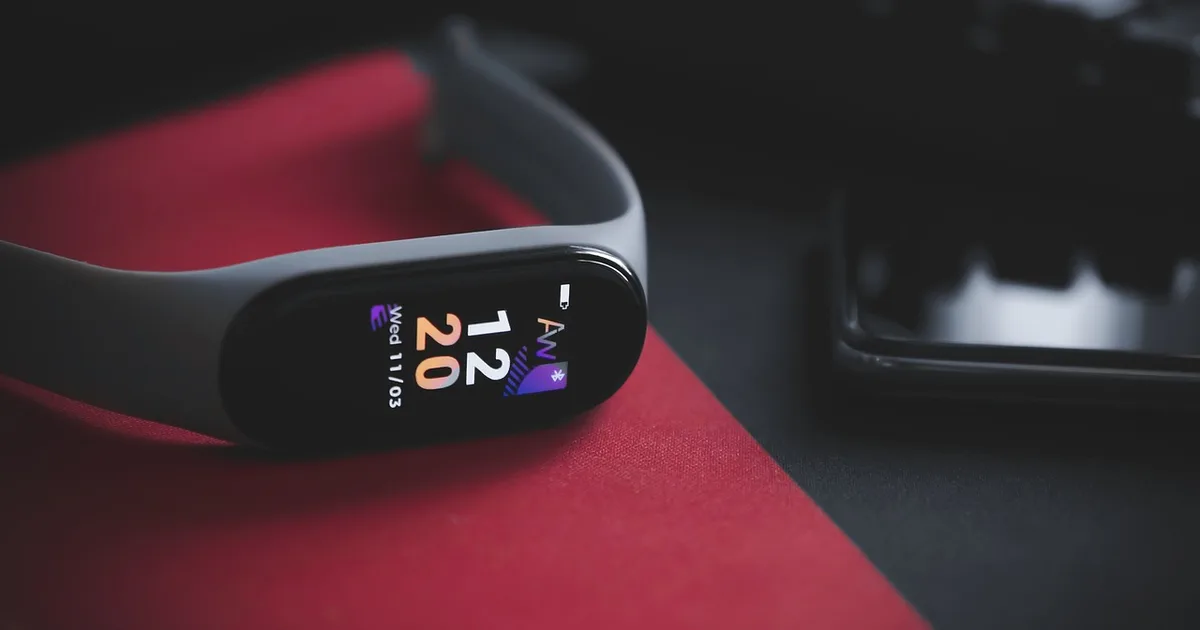
A fitness tracker is a slim wrist band that automatically logs your steps, heart rate, sleep and workouts so you can see trends over time. The best one for you is the one that works with your phone, lasts at least a week between charges, and is comfortable enough to wear to bed.
What is a fitness tracker, and how is it different from a smartwatch?
A fitness tracker is built to record, a smartwatch is built to do. That single trade-off explains almost every spec difference you will see on a store shelf.
Trackers drop apps, payments and call handling. In exchange, they weigh less, last longer and cost less. A band that stays on your wrist during sleep gives you better sleep data than a heavier watch that ends up on the charger every night. Smartwatches flip that: you get a richer screen and features, and you charge more often.
If you want a deeper look at the other side, our smartwatch buying guide covers operating-system fit, sensors and battery in more detail. This guide stays with bands and the trackers that sit close to them.
One caveat before we go on. This is a buying guide based on how manufacturers describe their products and on general principles, not a hands-on test report. I am not ranking specific models or claiming to have worn any of them. Product lines turn over quickly, so use the criteria below to compare whatever is on sale this month.
How to choose a fitness tracker: what should you check first?
Work through five filters in this order. Most shoppers are down to two or three candidates by the third one.
- Phone compatibility. Check this before anything else. Some trackers work only with Android, some only with certain phone brands, and a few work with both. If the companion app does not support your phone, nothing else on the spec sheet matters.
- Battery life. Read the conditions behind the number. Manufacturer claims usually assume the always-on display is off and GPS is rarely used.
- Built-in GPS. This is the biggest driver of price and size. More on it below.
- Water resistance. A 5 ATM rating is the usual standard for pool use.
- The app. You will look at the app far more often than the band. Check whether you can export data, whether key features sit behind a subscription, and whether it connects to the health platform you already use.
| Your situation | What to prioritize | What to skip |
|---|---|---|
| First tracker, general health | Phone compatibility, comfort, price | Premium metrics you will not read |
| Runner or cyclist | Built-in GPS, battery under GPS | Bands that rely on your phone’s GPS |
| Sleep tracking focus | Slim, light body, 7+ day battery | Heavy watches you will not wear to bed |
| Gym and classes | Heart-rate accuracy, workout modes | GPS maps |
| Gift for a parent | Large, bright screen, simple app | Complicated setup |
Do I need built-in GPS, or is connected GPS enough?
Built-in GPS lets you leave the phone at home. Connected GPS borrows your phone’s signal and costs less, but only works if you carry the phone.
If you run outdoors three or more times a week and dislike carrying a phone, built-in GPS is worth paying for. If your exercise is mostly walking, strength training or classes, it adds cost and bulk you will not use.
A practical test: picture your last five workouts. If at least three happened outdoors with a route that matters, buy GPS. If not, skip it and put the money toward a better-fitting band or a second strap.
Is battery life really as long as the box says?
Almost never, and the gap is predictable. A claim of “up to two weeks” typically describes light use with the always-on display off. Turn that display on, run frequent GPS workouts, enable continuous blood-oxygen readings and get a lot of notifications, and the real figure can fall to a fraction of the claim.
As a rule of thumb, plan on roughly 60 to 70 percent of the advertised best case with normal mixed use, and less if you rely on GPS. I treat any tracker that needs charging more often than every four or five days as a watch in disguise.
| Usage pattern | Typical effect on battery |
|---|---|
| Always-on display on | Large drop, often the biggest single factor |
| Daily GPS workouts | Significant drop on workout days |
| Continuous heart rate and SpO2 | Moderate drop |
| Many phone notifications | Small to moderate drop |
| Display off, light use | Closest to the claim |
Charging habit matters as much as the number. A seven-day tracker you top up while showering gets worn all day. A two-day tracker you forget to charge ends up in a drawer.
Are fitness tracker readings accurate enough to trust?
Trends are reliable; single numbers are not. Wrist sensors do a decent job of resting heart rate and step counts, and your own week-over-week changes tell you far more than any one reading.
Sleep stages, stress scores and calorie estimates are algorithmic guesses. They are useful for spotting patterns, for example that you sleep worse after late meals, but they are not measurements. Heart-rate readings during intense intervals or strength work can lag or drift, because the sensor struggles with fast changes and tight wrist flexion.
Wearing it right helps. Position the band a finger’s width above the wrist bone, snug enough that it does not slide but not tight enough to leave a mark. Clean the sensor with a damp cloth now and then.
This is also where regulation matters. In the US, the FDA treats products intended only for general wellness, such as tracking activity and sleep, as low-risk and generally outside active device regulation, as laid out in its general wellness policy guidance. Features that screen for a medical condition, such as ECG or irregular-rhythm alerts, go through a separate FDA process. So read a band’s marketing carefully: “wellness” language means it is not a diagnostic device.
What activity goals should I set on my tracker?
Set goals around minutes of activity, not a magic step count. The CDC’s adult physical activity guidelines recommend at least 150 minutes of moderate-intensity aerobic activity each week, plus muscle-strengthening activities on two or more days.
Most trackers can display active minutes or heart-rate zones. Use those. A tracker that nudges you toward 30 minutes of brisk walking five days a week is doing the job it should.
For step goals, start slightly above your current average. If you average 4,000 steps, setting a goal of 10,000 on day one is a recipe for ignoring the app by week two. Raise the target by 10 to 20 percent and hold it for a couple of weeks.
If you need a routine to give the numbers meaning, a 30-minute no-equipment home workout or a four-week home workout and diet plan are easy starting points.
What mistakes do people make when buying a fitness tracker?
The most common one is skipping the compatibility check. Here is a composite example, not a real customer: someone with an iPhone sees a well-reviewed band on sale, orders it, and discovers when it arrives that the companion app is Android-only. The return window closes before they work it out, and the band goes in a drawer. Thirty seconds on the maker’s compatibility page would have prevented it.
Other traps worth avoiding:
- Buying features you will not use. Offline music, maps and payment are great if you will use them. Most people do not.
- Ignoring subscriptions. Some brands lock sleep insights, readiness scores or detailed analytics behind a monthly plan. Check what the free tier includes before you commit.
- Trusting one huge sale. Discounts come and go. A band that is “70 percent off” may simply have been overpriced. Compare against the usual price range over several weeks.
- Skipping the strap. Comfort decides whether you wear it. A band that irritates your skin gets abandoned. Check strap material and whether replacements are easy to find.
- Treating the data as a diagnosis. If a reading worries you, see a clinician rather than searching forums.
Warranty and returns matter too. Buy from the manufacturer or an authorized US retailer so that the warranty is valid, and keep the receipt through the return period.
Can a tracker help with sleep, and what should I watch for?
It can help you spot patterns, not fix them. A tracker shows when you went to bed, how often you woke, and rough sleep stages. If it shows your resting heart rate creeping up after late meals or alcohol, that is a useful nudge.
Comfort is the main factor. A thick band that bothers you at night will not produce good data, because you will take it off. Look for a slim profile, a soft strap and low weight if sleep is your main goal.
For habits that actually change sleep quality, our sleep tips guide goes through the basics, and our health data and wearables guide shows how to turn tracker numbers into routines.
What is a sensible setup for the first two weeks?
Treat the first two weeks as calibration, not performance. Nothing you see in the first few days says much about your fitness, because the tracker is still learning your wrist, your routine and your baseline.
| When | What to do |
|---|---|
| Day 1 | Pair with your phone, enter height, weight and birth date, switch off notifications you do not need |
| Days 2 to 3 | Check how it feels at night and adjust the strap |
| Week 1 | Set a step or active-minutes goal slightly above your current average |
| Week 2 | Review your weekly average and turn off features you are not using |
After two weeks, ask one question: did the tracker change anything I do? If it did, it is working. If it did not, simplify. Drop the notifications, pick one metric to follow, and make that metric tied to a habit, such as a 20-minute walk after dinner.
Which should I buy: a tracker or a smartwatch?
Think about where the device lives. A tracker is something you forget you are wearing, which is exactly why the data is good. A smartwatch is something you interact with all day, which is why it needs charging more and why some people end up resenting it.
Also consider the phone in your pocket. If you already carry a recent phone, it counts steps and, with the right app, can log walks and runs. A wrist device earns its place by adding continuous heart rate, sleep and the habit of wearing it. If you will not wear it consistently, no spec sheet will rescue the purchase.
Finally, think about replacement. Bands are small, sealed devices with batteries that fade over a few years. Budget for that, and prefer a model with an easy-to-find strap and a clear warranty over one that is merely the cheapest this week.
If your goals are steps, sleep and basic workouts, buy a tracker. If you want payments, apps, calls and maps on your wrist, buy a smartwatch and accept charging it more often. If you are unsure, a tracker is the cheaper experiment, and you can always upgrade once you know which features you actually miss.
My own rule: buy the least expensive device that has the one feature you can name. “I need GPS for running” is a feature. “It might be nice to have everything” is not.
This article is general information based on manufacturer descriptions and public guidance, not a hands-on product test or medical advice. Specifications, prices and app features change often, so check the manufacturer’s page and your phone’s compatibility list before buying. Consult a healthcare professional about symptoms or health conditions. Information as of October 2026, written with US shoppers in mind.
What are the best fitness trackers in 2026?
There is no single winner, because the right one depends on your phone and your workouts. iPhone owners should start with trackers whose apps support iOS, Android owners have more choices, and runners should prioritize built-in GPS. This guide gives you the criteria so you can compare any current model on the same terms.
What is the difference between a fitness tracker and a smartwatch?
A fitness tracker is a slim band focused on steps, heart rate, sleep and workouts. A smartwatch adds apps, payments, calls and often a larger screen. Trackers usually win on battery life, weight and price, while smartwatches win on features.
Do I need built-in GPS in a fitness tracker?
Only if you run, cycle or hike and want to leave your phone behind. Without built-in GPS, many trackers borrow your phone's GPS, which works fine if you carry it. For gym work and everyday walking, you can skip GPS and save money and weight.
How long should a fitness tracker battery last?
Look for at least five to seven days with the always-on display off, since that is the point where charging stops being a chore. Manufacturer claims are best-case numbers. Expect noticeably less with GPS workouts, many notifications, or continuous heart-rate and blood-oxygen sensing.
Are fitness trackers accurate?
Resting heart rate and step trends are generally useful for tracking your own changes over weeks. Calorie burn, sleep stages and stress scores are estimates and can be off by a wide margin. Treat them as trends, not as medical measurements.
Can a fitness tracker diagnose a health condition?
No. Most trackers are sold as general wellness devices, not diagnostic tools. A few watches carry separate FDA-cleared features, such as ECG or irregular-rhythm notifications, but even those are screening aids. See a clinician for symptoms like chest pain, fainting or a racing heart.
Is it safe to swim or shower with a fitness tracker?
Look for a stated water-resistance rating such as 5 ATM or IP68, and read what the maker says it covers. Swimming in a pool is usually fine at 5 ATM, but hot showers, saunas and soap can degrade seals over time. Rinse the band after salt water.
How much should I spend on a fitness tracker?
Basic trackers that count steps, track sleep and log workouts are widely available at low prices, and that is enough for many people. Spend more only for a feature you can name, such as built-in GPS, an offline music player or advanced running metrics.
How many steps or minutes of activity should I aim for?
The CDC advises adults to get at least 150 minutes of moderate-intensity aerobic activity per week plus muscle-strengthening on two days. Set your tracker's goals around minutes of activity rather than chasing an arbitrary step count.
관련 글

Korea Health Insurance for Foreigners: How NHIS Enrolment Works in 2026

Weekly Meal Prep: How to Cook Once, Eat All Week and Stay Food-Safe

How to Choose an Eye Clinic in 2026: LASIK, Cataract and Red Flags to Avoid

LASIK vs PRK vs SMILE 2026 — Eligibility, Costs, Dry Eye, and Ectasia Risk

Intermittent Fasting for Beginners 2026: 16:8, Real Results, and Common Mistakes