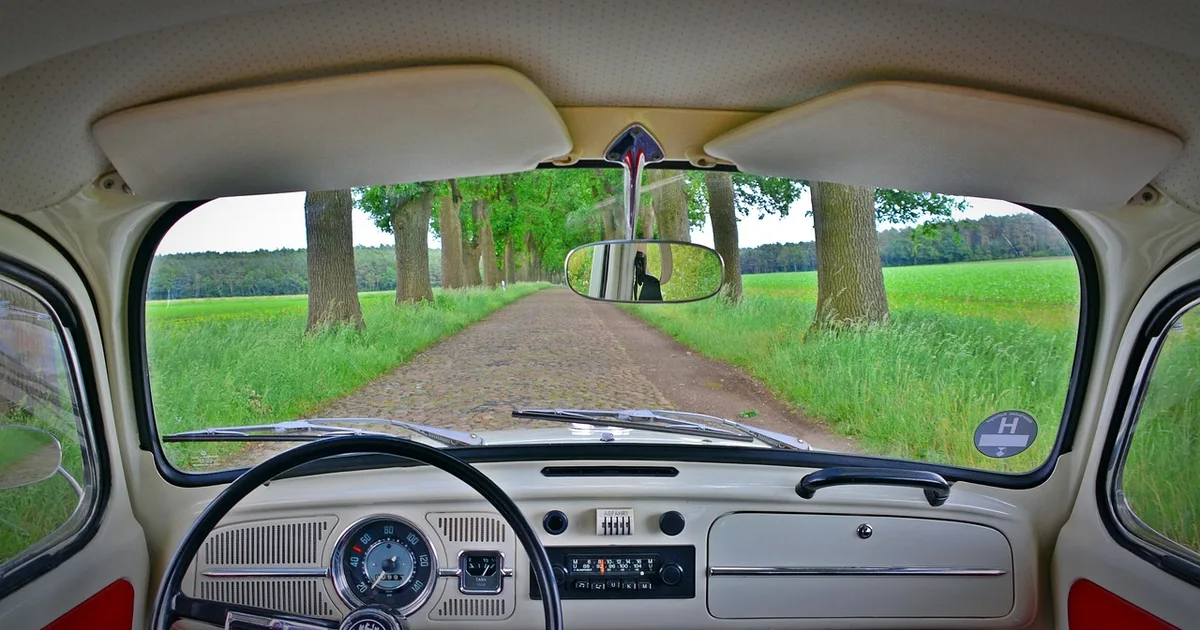
How to Choose a Dash Cam in 2026: US Buying Guide for Front-and-Rear Setups
How to choose a dash cam: what should you decide first?
Choose a dash cam in this order: channels (how many cameras), night video quality, how it records while parked, the memory card, and who installs it. Resolution and brand come after those, not before.
This is a general US buying guide. It does not review specific products, and I have not tested any camera for this article. Where I cite specifications or rules, I link the source, and prices are left out on purpose because they move too much to print.
Most disappointments with dash cams come from one of four mistakes. The buyer picks a front-only camera and then gets hit from behind. They pay for 4K and then cannot read a plate at night. They plan to use parking mode and discover the box has no hardwire cable. Or they use a regular memory card that fails after a few months, and the footage they needed was never saved. Each one is cheap to avoid if you decide on the right questions before you shop.
| Decision | A good default | What people miss |
|---|---|---|
| Channels | Front and rear | Interior cameras only matter for rideshare or livery |
| Video quality | 1080p to 1440p with a good sensor | Night plate readability beats the resolution number |
| Parking mode | Hardwire kit with voltage cutoff | The kit is often sold separately |
| Storage | High-endurance microSD | Standard cards wear out faster |
| Install | Pro for rear and hardwire | Airbag trim is not a place to experiment |
Should you buy one, two, or three channels?
A front-only camera records the road ahead and nothing else. That covers running a red light and getting cut off, but it misses the rear-end collisions and parking-lot hits that make up a large share of everyday claims. A rear camera is the cheapest way to record both.
A two-channel setup is my default recommendation for a personal vehicle. A three-channel system adds a cabin camera, which is useful if you drive for a rideshare or taxi service and want a record of passenger disputes. For a private car it adds cost and some privacy questions, since you are recording people inside the vehicle. Check your state’s recording laws and tell passengers.
Some buyers consider a dash cam with a built-in mirror screen. These can work, but they replace the view you rely on. A bad mirror display is a safety problem rather than an inconvenience. If you try one, test it in the dark and when the sun is behind you.
What changes with a rear camera?
Rear cameras are typically lower resolution than the front one, and their cable has to travel from the windshield to the back glass, usually along the headliner. That routing is the real work in a two-channel install. If the cable is short or the car is a hatchback or SUV with a long run, check the cable length on the product page before you buy.
How much video quality do you actually need?
Resolution is a starting point. What decides whether you can read a license plate is the image sensor, the lens aperture, how much the video is compressed, and how the camera handles a bright headlight passing in the dark. Daytime footage from 1080p and 1440p looks similar. The difference appears at night, when a plate on a passing car is a small, moving, lit-from-the-side target.
The most useful test is cheap. Find sample footage taken at night, pause it on a vehicle in the next lane, and see whether the plate is readable. If the listing only shows daytime clips, treat that as information.
A few specifications are worth noticing:
- Sensor name. Some makers publish the sensor they use. A known low-light sensor is a better signal than a vague “night vision” label.
- Wide dynamic range (WDR/HDR). This helps when headlights or tunnel exits blow out the image. How well it works varies a lot between models.
- Frame rate. 30 frames per second is common. Higher can help with fast movement, but costs storage.
- Field of view. Wider is not always better. Very wide lenses curve the edges and make distant plates smaller.
- Capacitor versus battery. Cameras with a capacitor instead of an internal lithium battery are generally described as more tolerant of heat inside a parked car. If you park outdoors in summer, that matters.
How does dash cam parking mode work?
Parking mode keeps the camera powered after you turn the car off, then records when it detects motion or an impact. Without that, a dash cam only records while the car is running, which means a hit-and-run in a parking lot leaves nothing behind.
There are two ways to power it. A hardwire kit connects to the fuse box and takes power from a constant-on circuit. A separate battery pack runs the camera without drawing from the car.
| Method | How it works | Trade-offs |
|---|---|---|
| Hardwire kit | Wires to the fuse box with a voltage cutoff | Longest parked recording, needs correct fuse tap |
| Battery pack | Separate pack powers the camera | Does not touch the car battery, needs charging and costs more |
| Ignition-only (plug in) | Camera powers off with the car | No parked recording at all |
The voltage cutoff matters. A hardwire kit watches your car battery and turns the camera off if voltage falls below the threshold you choose. Set it too low and you risk a weak start in the morning. Set it too high and parking mode ends early. If your battery is several years old, or the car sits for days between drives, lean conservative, or switch parking mode off when you travel.
Also check what kind of parking mode the camera offers. Motion-triggered recording uses more storage and can be fooled by passing foot traffic. Impact-triggered recording saves space but may miss a slow scrape. Some cameras use a low-bitrate time-lapse instead. None of these is universally best; match it to where you park.
Heat is the other variable. A car parked in direct summer sun can get very hot inside. Camera makers publish an operating temperature range, so check it against your climate, and consider a camera that uses a capacitor rather than a lithium battery.
Which SD card should you put in a dash cam?
Use a high-endurance microSD card made for continuous recording, and make sure it is in the capacity range the camera maker supports. A dash cam writes to the card constantly. When the card fills, it deletes the oldest footage and starts over. That loop is hard on flash memory, and a standard card built for photos and occasional video is not designed for it.
The SD Association, which sets the card standards, defines video speed classes that tell you the minimum sustained write speed a card guarantees for video recording. For a dash cam, look for a card marketed for dash cams or security cameras, check that it carries the video speed class the camera requires, and buy from a reputable seller. Counterfeit cards are a real problem on open marketplaces, and a fake card can fail without warning.
Capacity depends on how many channels you record and how long you want parked footage to last. As a rough guide, higher resolution and more channels fill a card faster. Check the camera’s manual for its recording-time table rather than trusting a generic number.
Care for the card like this:
- Format it in the camera, not on a computer, about once a month or as your maker suggests.
- Open a few recent files every now and then to confirm video and audio are intact.
- Replace the card immediately if the camera reports a card error.
- Replace it on a schedule too, even if nothing has gone wrong, since wear is invisible.
Should you install it yourself or pay a professional?
Plugging a front camera into the 12V socket is a five-minute job. Everything beyond that is harder than it looks.
| Task | DIY difficulty | Where it goes wrong |
|---|---|---|
| Front camera on 12V plug | Easy | Cable dangling across the windshield |
| Rear camera routing | Moderate | Cable pinched in trim or door seals |
| Hardwire to fuse box | Moderate to hard | Wrong fuse tap, wrong circuit |
| Working near pillars | Hard | Airbag curtains run along the pillars |
Airbags are the line I would not cross as a beginner. Side curtain airbags deploy from the roof rails and pillars. A cable tucked behind the wrong panel can interfere with deployment. If you are routing wires anywhere near a pillar and cannot confirm where the airbag sits, hire an installer.
If you do it yourself, buy a fuse tap that matches your car’s fuse type, use a fuse that fits, read the car’s manual for which circuits stay live with the ignition off, and test the system before you close any panels. A professional installer may charge a flat fee, and some retailers bundle installation. Ask what the price includes and whether the cut-off voltage is set for your battery.
Where should the camera go on the windshield?
Most drivers mount it behind the rear-view mirror, where it blocks little of the driver’s view and sees the road clearly. Rules about objects on the windshield vary by state, so check your own state’s motor vehicle code. For commercial trucks, federal rules on windshield obstruction apply; see the FMCSA windshield rule at 49 CFR 393.60 if you drive one.
Also keep the lens clear of tint bands and wiper sweep, and avoid covering any sensor your car uses for driver-assist features. Your car’s manual shows where those sensors are.
What features are nice to have, and which are marketing?
Not every feature on a spec sheet earns its money. Here is how I sort them.
Worth paying for: loop recording with event locking (so a crash clip does not get overwritten), a reliable clock and time stamp, GPS for location and speed in the file if you want that record, a clear app for downloading clips, and a cable that is long enough for your vehicle.
Useful in some cases: Wi-Fi so you can pull a clip to your phone at the roadside, cloud upload (usually requires a data connection and sometimes a subscription), and driver-assist alerts such as lane departure or forward-collision warnings. Treat those alerts as extras and not as a safety system. They can be wrong.
Skip unless you have a reason: gimmicks like voice-command tricks, built-in screens that add glare at night, or inflated “super night vision” labels with no sensor details behind them.
| Feature | Value | When it matters |
|---|---|---|
| Event locking | High | Always |
| GPS stamp | Medium | If you want speed and location on record |
| Wi-Fi app | Medium | For quick clip transfer |
| Cloud upload | Situational | Theft protection when parked |
| Driver-assist alerts | Low to medium | As a nudge only |
| Built-in screen | Low | Setup, but it is also a distraction |
What mistakes do people make when buying a dash cam?
The most common failure is paying for features you cannot use. Here is a composite example, built to illustrate the pattern and not drawn from a single real buyer.
Composite scenario: a driver buys a two-channel camera marketed for parking protection, mounts it, plugs it into the cigarette lighter, and assumes it will record at night. A week later someone dents the door in a store lot. The car was off, so the camera was off too. The listing never said a hardwire kit was included, and the driver never checked.
Avoid that by running a short checklist before you click buy:
- Does the box include a hardwire kit, or is it sold separately?
- Is a memory card included, and is it high-endurance?
- Is the rear camera cable long enough for my vehicle?
- Is the Wi-Fi built in or does it need an add-on?
- Is GPS built in or an optional antenna?
- What operating temperature does the maker state, and does it fit my climate?
- What does the warranty cover, and who handles returns?
Another mistake is leaving the settings alone. Turn on event locking, set the date and time correctly, choose a sensible loop length, and check that audio recording follows your state’s rules. Some states restrict recording conversations without consent. If you are unsure, disable audio.
Last, do not assume footage solves a claim on its own. It documents what happened; it does not decide fault. If you are involved in a crash, car accident settlement negotiation and how fault and damages are argued explain how evidence feeds into the outcome, and distracted driving claims show a case where video is often the deciding piece.
What should you do with the footage after an incident?
The first step is to keep the original. Dash cams loop, so a file can be overwritten within hours or days if the card fills. After a collision:
- Move to a safe place and check on everyone.
- Turn the camera off or press the event-lock button so the clip is protected.
- Remove the card or download the file through the app, and store the original unaltered.
- Make a copy and give that to your insurer, attorney, or police. Keep the original.
- Write down the time, place, and what you remember while it is fresh.
Footage can also work against you, because it shows your driving too. That is not a reason to skip a camera. It is a reason to drive as though you are being recorded, because you are. Some people report that a dash cam makes them calmer behind the wheel for exactly that reason.
For a broader look at how insurers treat claims, the National Highway Traffic Safety Administration publishes crash and safety information on its site, and your insurer’s claims page explains its own process for submitting video. Some insurers also offer discounts or programs tied to in-car devices, but those vary by company, state, and policy, so ask your agent rather than assuming.
Is a dash cam still worth buying in 2026?
My answer is yes for most drivers, with a caveat about expectations. A dash cam is a small, cheap insurance against an expensive argument. It will not prevent a crash, and it will not guarantee a claim outcome. What it gives you is a record that does not depend on memory or on a stranger’s story.
Think about it in terms of the problems it solves. If you commute in heavy traffic, a front-and-rear pair covers the rear-end and sideswipe scenarios. If you park on the street, a parking-mode setup with a voltage cutoff covers the hit-and-run. If you drive for work, an interior channel and a cloud option may be worth the extra cost. If you rarely drive and park in a garage, a simple front camera may be all you need.
Before you buy, write down three answers: where the car sleeps at night, how many hours you drive a day, and whether you are willing to run a cable or pay someone to. Those three answers narrow the field faster than any ranking list.
If you are still deciding on a vehicle itself, see our guide to buying a first car and the lease versus loan versus cash comparison; both help set the budget that a dash cam and installation should fit into. If your car is a plug-in or hybrid, read electric vehicle insurance cost first, because wiring into the fuse box of an EV or hybrid can differ from a conventional car, and your manual may say so.
This guide is general information for US drivers and not legal, insurance, or electrical advice. It does not review specific products. Laws on windshield mounting, audio recording, and the use of footage vary by state, so check your own state’s rules, and use a professional installer for any wiring you are unsure about.
How do I choose a dash cam?
Decide in this order: how many channels you need (front only, front and rear, or an interior camera), whether night footage is good enough to read a plate, how the camera will record while parked, which memory card it uses, and who will install it. Brand and rankings come last.
Is a front-and-rear dash cam worth it?
For most drivers, yes. Rear-end collisions and parking-lot hits are common, and a front-only camera records neither. The price gap between one and two channels is usually modest compared with the cost of an unresolved claim.
Do I need 4K for a dash cam?
Usually not. A well-tuned 1080p or 1440p camera with a good sensor and lens can read plates better at night than a cheap 4K camera. Check night sample footage rather than the resolution number on the box.
How does dash cam parking mode work?
The camera keeps getting power after the engine is off, either from a hardwire kit tied into the fuse box or from a separate battery pack. It then records on motion or impact. The camera must support parking mode; a plug-in cigarette-lighter cable alone often cuts power with the ignition.
Will a hardwired dash cam drain my car battery?
A proper hardwire kit includes a low-voltage cutoff that shuts the camera off before the battery gets too low. An older battery, short trips, or a cutoff set too low can still leave you with a weak start, so test the setup and consider turning parking mode off if the car sits for days.
What kind of SD card does a dash cam need?
Use a high-endurance microSD card made for continuous recording, from the brand and capacity range the camera maker lists as supported. Standard cards are built for occasional writes and tend to wear out sooner under constant loop recording.
How often should I format a dash cam SD card?
Many manufacturers suggest formatting in the camera every month or so, and replacing the card periodically. If the camera reports card errors even once, replace the card instead of hoping it recovers. Follow your maker's guidance on timing.
Can dash cam footage help with an insurance claim?
It can help show what happened, which matters when fault is disputed. Save the original file right after an incident before loop recording overwrites it, and give your insurer or attorney a copy while keeping the original.
Where should I mount a dash cam on the windshield?
Behind the rear-view mirror on the passenger side of it is the common spot, because it keeps the view clear for the driver. Rules about windshield obstructions vary by state, so check your state motor vehicle code before you stick anything to the glass.
Should I install a dash cam myself?
A front camera on a 12V plug is an easy DIY job. Rear camera routing and hardwiring to the fuse box are where mistakes happen, especially near airbag trim. If you are unsure, pay a professional installer.
관련 글

Refill Trash Bags and Odor-Seal Bins: How to Buy the Right Roll in 2026

Korea Driver License Exchange for Foreigners 2026: Documents, Tests, Fees
Alkaline vs Lithium vs Rechargeable Batteries: What to Buy in 2026
Best Windshield Washer Fluid: How to Choose Freezing Point, Type and Safety

Where to Exchange Currency for Travel: Best Rates Guide 2026