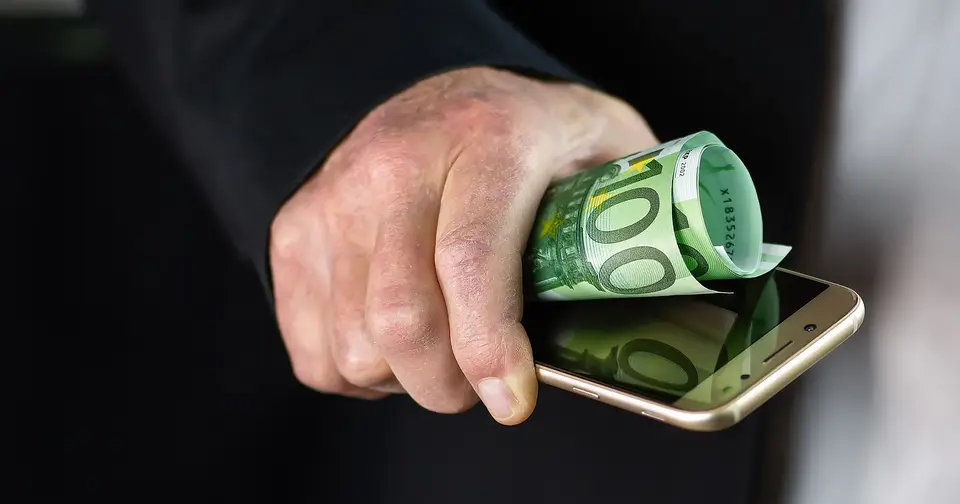
Kakao Bank Apple Pay in Korea: Who Can Add a Card, Setup, and T-money (2026)
Kakao Bank Apple Pay launched in Korea on Monday, November 16, 2026, according to several outlets. Kakao Bank customers can add a debit card or a teen Mini card to Apple Wallet and pay with an iPhone or Apple Watch, which makes Kakao Bank the second Korean issuer after Hyundai Card and the first bank.
I wrote this for people who live in Korea, plan to, or are helping someone who does. It is based on news reports and setup guides I read on November 17 and 18, 2026, not on my own test: I did not add a card myself. Where a detail rests on one source, I say so. Launch week is exactly when conditions shift, so the Kakao Bank app is the final word.
Kakao Bank Apple Pay: what exactly launched, and who is it for?
The launch is a debit-card and teen-card feature, aimed mainly at people who hold a Kakao Bank account. The Korea Times and Korea JoongAng Daily both gave November 16 as the date. One outlet called it a Sunday, which looks like an error, since the 16th fell on a Monday.
Some history helps explain the fuss. Apple Pay reached Korea in March 2023 through a single issuer, Hyundai Card, and for more than two years nobody else joined. Before the launch, reports said Kakao Bank and Toss Bank were preparing, but both declined to give dates, citing their contracts with Apple. So this is a real change: a bank, not a credit card company, and a product most young adults already have.
The fastest way to see where you stand is this summary.
| Question | What reports say (as of Nov 17, 2026) | How solid it is |
|---|---|---|
| Launch date | Monday, Nov 16, 2026 | Several outlets agree |
| Supported cards | Kakao Bank debit cards, prepaid Mini card | Several outlets agree |
| Age | 14 or older, own name | Several outlets (one guide says 14 to 18 for Mini) |
| Transit | T-money top-up works; no pay-later transit | Top-up reported; pay-later limit from guides |
| Credit cards | Kakao Bank has no credit card of its own | One report |
| Foreign-issued cards | Not covered in anything I found | Unconfirmed |
If you are a tourist, the practical answer comes early: a Kakao Bank card requires a Kakao Bank account, and that is a resident product. I come back to this in the section for visitors.
Which Kakao Bank cards work with Apple Pay, and which do not?
Reports list two types: Kakao Bank debit cards in your own name for customers aged 14 or older, and the Mini card, a prepaid card for teens. One article names the debit card families as The, Friends, Moim (group account) and the sole-proprietor debit card.
That matters because Apple Pay in Korea was effectively a credit-card feature until now. Reports say students and early-career workers without a credit card can now use it. If you have a debit card from Kakao Bank, there is nothing new to apply for.
Cards that probably will not work:
- Shinhan-partnered credit cards sold through Kakao Bank. One setup guide says products such as the Jupjup and Chakbut cards are issued by Shinhan Card and are missing from the Apple Pay list. I could not find this on an official page, so check in the app.
- Cards in someone else’s name, or cards held by users under the age requirement.
- Cards from other banks. Adding your Woori or KB debit card is a different question, and it is not what this launch covers.
If you are weighing debit against credit for everyday spending, the trade-offs in Best Credit Cards in Korea 2026 still hold. Paying by phone does not change a card’s rewards rules, which come from the card’s own terms.
How do I add a Kakao Bank card to Apple Wallet?
There are two routes, and I would start in the Kakao Bank app because identity verification happens there and leaves fewer places to get stuck.
Route 1: from the Kakao Bank app
- Update iOS and the Kakao Bank app first.
- Open the app and tap My Cards at the bottom.
- Under the convenience services, choose the option to add the card to Apple Pay.
- Pick the debit card or Mini card you want.
- Verify your identity and confirm the addition to Apple Wallet.
Route 2: from the Wallet app
- Open Wallet and tap the plus button.
- Choose a debit or credit card and look for Kakao Bank.
- Enter or scan the card details and complete verification.
Menu names differ slightly between the guides I read, and this sequence is stitched together from them. If your screen disagrees, follow the app. One guide says you need app version 2.66.0 or later. That is a single source, so treat the real requirement as “the newest version in the App Store.”
For an Apple Watch, the usual approach is to add the card to your iPhone first, then add it to the watch through the Watch app’s Wallet settings. After that, you can pay without the plastic card.
If you are about to switch phones, do the card step early. Banks often ask for re-verification when a device changes, and doing that at a store counter is no fun. The phone data transfer guide covers the move itself, and the iPhone Quick Start guide walks through the setup flow.
Can I use it for subway and bus rides with T-money?
Reports say yes, in a limited way. You add T-money in Apple Wallet and top it up with a Kakao Bank card. One article notes that, until now, Hyundai Card was the only card you could use to top up T-money directly in Apple Wallet.
The flow described in guides looks like this:
- In Wallet, tap the plus button, choose Transit Card, then pick T-money.
- Choose a top-up amount and select your Kakao Bank card to pay for it.
- Tap your iPhone or Apple Watch on the gate or bus reader.
Apple’s own support page says that when you add an eligible transit card, Express Mode is turned on by default, so a tap works without unlocking the phone (Apple Support: Express Mode). Whether Korean T-money behaves exactly the same is something to check in your card settings, because I cannot confirm it.
The important catch: there is no pay-later transit. The Mini card is prepaid, and guides say that for buses and subways you register T-money separately rather than tapping the debit card itself. People assume the debit card will open the gate, but T-money is a stored balance. If it runs out, the gate says no, and that tends to happen on a rainy morning with a line behind you. I keep a cushion, roughly the price of a few days’ commuting, but that is my habit and not a rule.
I did not verify the top-up ceiling, the refund fee for unused balance, or how T-money interacts with the Climate Card and K-Pass. For that side, my T-money guide for tourists covers the plastic-card route and what has been reported about Apple Wallet.
Does it work online and abroad?
Online and in apps, it works where the merchant offers Apple Pay. In stores, it works at contactless (NFC) terminals. Reports say this covers supermarkets, pharmacies, restaurants, cafes and convenience stores in Korea and abroad.
“Works abroad” and “works abroad with my card” are different claims, though. The card itself has to be allowed to pay overseas.
| Situation | What I found | Watch out for |
|---|---|---|
| In-store in Korea | Contactless terminals | Stores without NFC readers |
| Online and apps in Korea | Where an Apple Pay button appears | Merchant support varies |
| Abroad, debit card | One guide says Kakao Bank points customers to its Mastercard overseas-enabled debit card | Domestic-only cards likely will not pay abroad |
| Abroad, Mini card | One guide calls it domestic-only | Not confirmed by an official page |
Before an overseas trip, check whether your card is enabled for foreign use in the app. Apple Pay is the way you tap; it does not give a card permission it did not have. I could not find fee or limit figures for overseas use, so I am not going to guess at them. For the currency side of travel, the exchange tips article and the Golden Week card-versus-exchange piece compare the options.
What do I check when the card will not add or a payment is declined?
Work through the likely causes in order. These come from the guides and reports, and the ordering is mine.
| Symptom | Check first | Then |
|---|---|---|
| Kakao Bank is missing in Wallet | Update iOS and the Kakao Bank app | Restart the iPhone, reinstall the app |
| Verification keeps failing | Own name, meets the age rule | Retry from the app (Route 1) |
| A credit card is not listed | Is it a debit or Mini card? | Check the app notice; it may not be eligible |
| Declined at a store | Balance in the linked account | Terminal NFC support, try the plastic card |
| Works on iPhone, not on Watch | The iPhone registration | Remove and re-add the card on the watch |
Here is a composite example, built from patterns the guides describe rather than one real person. Someone has a group account and a salary account at the same bank. They put their usual debit card into Apple Pay and try to pay for lunch, and the terminal declines it. The card is fine. The account linked to it was the one with an empty balance. Kakao Bank was reported to cite low balance and linked-account confusion as common reasons for store declines, which matches that pattern.
A debit card has no credit buffer. Your balance is the limit, so a five-second glance at the linked account balance before paying prevents most of these. One report also says some stores may still ask for the physical card. Keep a plastic card or some cash in the wallet, since a store’s terminal is not something you can fix.
Is a Kakao Bank card in Apple Wallet safe if I lose my phone?
Kakao Bank said the real card number is not kept on the device or on Apple’s servers; a device account number stands in for it. Apple describes a similar design for Apple Pay in general. The store’s terminal gets that substitute number plus a one-time code instead of your card number.
Even so, a lost phone calls for quick action:
- Use Find My from another device or the web to put the phone in Lost Mode.
- Ask Kakao Bank whether the card should be suspended, through the app or customer service.
- Re-add the card on your new iPhone.
Since a debit card draws straight from your account, step 2 can matter more than step 1. These steps are the general procedure. I could not confirm exactly where the suspend option sits in the Kakao Bank app.
How is it different from Hyundai Card’s Apple Pay, and what comes next?
The big differences are card type and who it opens the door to. Hyundai Card is a credit card issuer, so you go through a screening process and often an annual fee. Kakao Bank offers debit and prepaid cards, which lowers the barrier a lot for anyone who already banks there.
| Hyundai Card | Kakao Bank | |
|---|---|---|
| Start in Korea | March 2023 | November 16, 2026 |
| Main product | Credit cards (debit mentioned in reports) | Debit card and Mini card |
| T-money top-up in Wallet | Yes | Yes, per reports |
| Pay-later transit | Check with the issuer | No (Mini card is prepaid) |
Kakao Bank has no credit card of its own, so there is no credit-card support date to wait for. Whether partner products like the Shinhan-issued ones get added later was not in anything I read. Reports also say Toss Bank plans to launch this year, but that is a plan, not a date.
Can foreigners and tourists use this in Korea?
Residents might; tourists almost certainly cannot, and I want to be careful on both counts. Around October 12, 2026, Kakao Bank introduced an app-based account for foreigners living in Korea, for people aged 19 or older, with a domestic-only Friends debit card first and an overseas-capable debit card promised for later in the year, per press reports. None of the articles I found connected those cards to Apple Pay, so for foreign residents the status is unconfirmed. Open the app and see whether the add-to-Apple-Pay option appears.
A short-term visitor typically cannot open the account, so a Kakao Bank card is not part of your trip plan. What works for most visitors:
- Add your home-country cards to Apple Wallet before you fly and test them at a convenience store on day one.
- Carry a backup, either a plastic card or some cash, because terminal and network support varies.
- Buy a plastic T-money card at the airport or a convenience store if you want the dependable transit option. My T-money guide explains the costs and refund fee.
I did not find a Kakao Bank statement on whether foreign-issued cards are covered by this launch, so I am leaving that out rather than guessing.
What to do today. If you hold a Kakao Bank debit card, update your iPhone and the app, add the card from My Cards, and make one small test payment at a convenience store. Add T-money separately if you commute, and remember it is prepaid.
I would not cancel the plastic card right away. Launch weeks bring uneven terminal behavior, and some stores, as well as overseas situations, may still want the physical card. Use the phone for two weeks, then decide.
This article summarizes news reports and setup guides as of November 17 to 18, 2026. It is general information, not a first-hand test and not financial advice. Supported cards, app version requirements, T-money top-up rules and overseas use may change quickly after a launch, so check the Kakao Bank app notices and Apple Support before relying on any detail.
Does Kakao Bank support Apple Pay?
Yes. Several outlets, including The Korea Times and Korea JoongAng Daily, reported that Kakao Bank launched Apple Pay on Monday, November 16, 2026. It is the second Korean issuer after Hyundai Card (March 2023) and the first bank. Details were fresh when I checked on November 17 to 18, so confirm in the Kakao Bank app.
Which Kakao Bank cards can I add to Apple Pay?
Reports name Kakao Bank debit cards held in your own name by customers aged 14 or older, plus the prepaid Mini card for teens. One guide says the Shinhan-partnered credit cards are excluded, which I could not confirm from an official page. Check your card in the app before assuming.
Can a tourist add a Kakao Bank card to Apple Pay?
Almost certainly not, because the card comes with a Kakao Bank account. Kakao Bank opened accounts to foreigners living in Korea (age 19 or older) around October 2026, which is a resident product rather than a visitor one. Tourists should use their home-country cards instead.
How do I add a Kakao Bank card to Apple Wallet?
In the Kakao Bank app, open My Cards, choose the option to add the card to Apple Pay, pick the debit or Mini card and finish identity verification. You can also start from the plus button in the Wallet app. One guide says app version 2.66.0 or later is needed, from a single source, so just update the app first.
Can I use Kakao Bank Apple Pay for the subway and buses?
Reports say you can add T-money in Apple Wallet and top it up with a Kakao Bank card. It is a prepaid balance, so there is no pay-later transit feature. Check the Mobile T-money app for top-up limits and refund rules, which I could not verify.
Does Kakao Bank Apple Pay work abroad?
The Korea Times says contactless payment works in Korea and abroad. In practice the card itself must be enabled for overseas use, and one guide says Kakao Bank points customers to its Mastercard overseas-enabled debit card for that. A guide also says the Mini card is domestic-only. Check the card's settings before you fly.
Why is my Kakao Bank card missing from Apple Wallet?
Update iOS and the Kakao Bank app first, then retry. Next, check that the card is a debit or Mini card in your own name and that you meet the age requirement. Credit cards and other issuers' cards will not appear under Kakao Bank.
Why was my Apple Pay payment declined at a Korean store?
Kakao Bank was reported to name low balance and confusion over the linked account as common causes. A debit card pulls money from the account directly, so check the balance first. Some stores may also still require the physical card, according to one report.
Is Apple Pay with a Kakao Bank card safe?
Kakao Bank said the real card number is not stored on the device or on Apple's servers and is replaced by a device account number. Apple describes the same approach for Apple Pay generally. If you lose the phone, use Find My to put it in Lost Mode and ask Kakao Bank about suspending the card.
Can foreign-issued cards use Apple Pay in Korea?
I did not find a source for the Kakao Bank launch covering foreign cards, so treat it as unconfirmed. For general tourist payments, terminals and card networks vary, and a plastic card plus cash is the safe backup. The T-money guide linked below covers the transit side.
관련 글
Netflix Plans and Prices in Korea 2026: Ad Tier, Standard and Premium Compared

Food Delivery Apps in Korea for Foreigners: Baemin, Coupang Eats and Yogiyo Compared (2026)

Best Navigation App in Korea for Foreigners: Naver Map, KakaoMap or Google Maps (2026)

8 Best Spring Day Trips Near Major Cities (Under 2 Hours)

Best Countries for Digital Nomad Visas in 2026 — Real Requirements and Costs