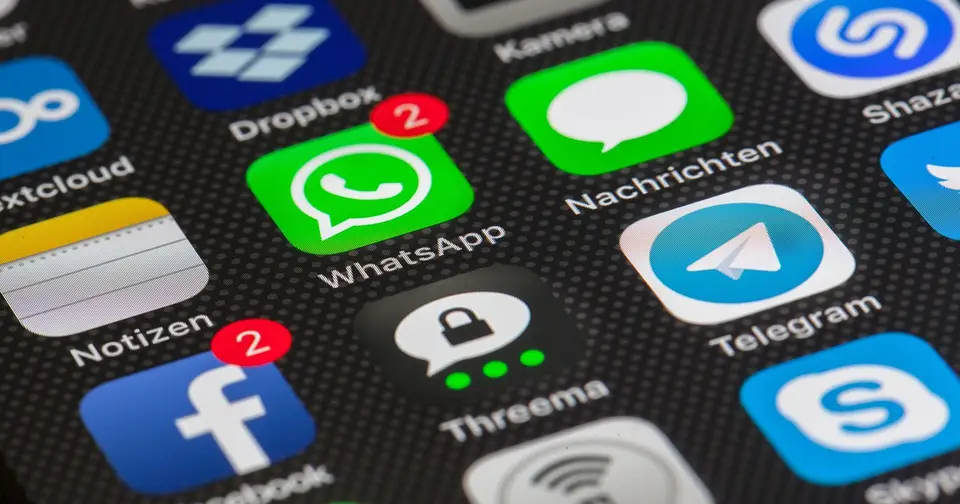
KakaoTalk Notifications Not Working: Fixes for Android and iPhone
Why are my KakaoTalk notifications not working?
KakaoTalk notifications usually fail because of a phone setting, not a broken app. The four places to check, in order, are system notification permission, Do Not Disturb or Focus mode, battery optimization, and the notification toggles inside KakaoTalk itself.
If you live in Korea, study here, or just travel and rely on KakaoTalk for taxis, landlords, schools and group chats, a silent phone is more than an annoyance. You miss the delivery driver, the real estate agent, the class cancellation. The good news is that the fix is nearly always a switch you can find in under five minutes, as of November 2026.
My advice is to resist the urge to reinstall. Work down the list below one change at a time and send yourself a test message after each step. Changing five things at once might fix the problem, but you will not know which one did, and it will come back.
| Order | Likely cause | Where to look | Fix |
|---|---|---|---|
| 1 | System notifications off | Settings > Notifications > KakaoTalk | Turn on Allow Notifications |
| 2 | Do Not Disturb or Focus | Quick settings or Control Center | Turn off, or allow KakaoTalk |
| 3 | Battery optimization | Settings > Battery | Set KakaoTalk to unrestricted |
| 4 | Samsung sleeping apps | Battery > Background usage limits | Add to never sleeping apps |
| 5 | In-app notification settings | KakaoTalk > Settings > Notifications | Enable, check each chat room |
| 6 | PC login | KakaoTalk notification settings | Log out of PC to test |
| 7 | Outdated app or OS | App store, system update | Update, then recheck permissions |
| 8 | Reinstall | Last resort | Verify backup first |
Menu names change between Android makers, OS versions and KakaoTalk releases. Where I give a path, treat it as a guide and look for the closest matching label.
Is KakaoTalk allowed to send notifications on my phone?
Start with the operating system permission, because it is the most common culprit after an update. Google documents how Android notification controls work in its Android help center, and the same logic applies across makers.
Android
Go to Settings, then Notifications (or Apps, then KakaoTalk, then Notifications). Make sure Allow Notifications is on. Do not stop there. Open the detailed categories, because Android lets you silence sound, pop-ups, or lock screen display separately. A common situation is that messages are allowed but the sound category is set to silent, so alerts land quietly in the shade and you never hear them.
iPhone
Go to Settings, then Notifications, then KakaoTalk. Turn on Allow Notifications and pick where alerts appear: Lock Screen, Notification Center, and Banners. Then check the delivery mode. If it is set to Scheduled Summary, KakaoTalk alerts are bundled and delivered at set times, which looks exactly like notifications not working. Switch the app to Immediate Delivery.
If you installed KakaoTalk freshly after a phone upgrade, remember that iOS asks for notification permission only once. If you tapped Don’t Allow back then, the prompt never returns, and you must go to Settings yourself.
Could Do Not Disturb or a Focus mode be blocking KakaoTalk?
Yes, and it is a favorite trap because these modes switch on by schedule. If KakaoTalk is not on the allowed list, its alerts stay silent while the mode is active.
| Platform | How to see if it is on | How to allow KakaoTalk |
|---|---|---|
| Android | Do Not Disturb icon in quick settings | Add KakaoTalk to the exceptions for apps |
| iPhone | Focus icon in Control Center or the status bar | Add KakaoTalk to Allowed Apps in that Focus |
| Apple Watch linked to iPhone | Focus shared across devices | Check Share Across Devices; a Focus turned on from the watch can apply to the phone |
On iPhone the pattern to watch for is: works all day, silent at night. That is almost always a Sleep or Work Focus with a schedule. Each Focus keeps its own allowed list, so adding KakaoTalk to one does not help the others. Apple’s iPhone user guide explains Focus setup; look up the page that matches your iOS version.
If you want to stay quiet at night but still hear from your landlord or family, allow specific people rather than the whole app.
Is battery optimization stopping KakaoTalk messages from arriving?
On Android, this is the top reason messages appear only after you open the app. Power-saving features restrict what an app can do in the background. If KakaoTalk is put to sleep, new messages are not fetched promptly and no alert fires.
Open Settings, then Battery (sometimes Battery and device care). Find KakaoTalk and set it to unrestricted or not optimized. Some phones have a separate background usage toggle; allow it. Users of phones from makers such as Xiaomi often report that an auto-start permission plus an aggressive battery saver together block notifications, so look for both.
You might worry about battery life. Freeing one messaging app barely moves the needle, and a messenger that cannot deliver messages is pointless. If you want to save power, put games and social feeds on the restricted list instead. For wider battery habits, the smartphone battery tips guide covers the settings that matter.
Also check Low Power Mode on iPhone and Battery Saver on Android. They are easy to forget when you leave them on overnight and they can pause background refresh.
Why are KakaoTalk notifications delayed on a Samsung Galaxy?
Galaxy phones add a layer of their own: sleeping apps. Samsung’s sleeping apps support page explains that apps in a sleeping state may lose some functions when closed, including sending notifications.
Here is the sequence I would follow.
- Open Settings, then Battery, then Background usage limits. The path varies by One UI version.
- Look at Sleeping apps and Deep sleeping apps. If KakaoTalk is in either, remove it.
- Open Never sleeping apps and add KakaoTalk.
- Turn off the option that automatically puts unused apps to sleep, or at least check it.
- Restart the phone and test.
I will be honest about the limits. Some owners report that the never sleeping list does not always fix it: the app does not appear in the picker, or delays continue now and then. If that happens, also set KakaoTalk’s battery usage to unrestricted, reboot, and check the Samsung Community for fresh threads about your One UI version.
If you are shopping for a phone and care about reliable background messaging, the best smartphones buying guide is a useful starting point.
What should I check inside the KakaoTalk app itself?
If the system settings look right, open KakaoTalk, tap the settings gear, and find the notification section. Wording changes by version, so look for the message notification toggle.
Three places catch people out:
- The sound and vibration options inside KakaoTalk may be set to silent.
- The option that hides message content can make alerts look empty or odd.
- A single chat room can have its own notification switch turned off.
The last one is the classic. A noisy group chat gets muted, and months later you forget. If only one conversation is silent, open that room and look for the bell icon. If every chat is silent, the problem is the global setting or the phone, not a room.
Does being logged into KakaoTalk on a PC stop phone alerts?
It can. When the desktop app is running and active, messages may be handled there first, so the phone goes quiet or lags. KakaoTalk offers settings around PC login and mobile notifications whose names differ by version. I could not confirm the exact current wording, so rely on Kakao customer support for the official description rather than my paraphrase.
The quickest diagnosis needs no menu at all. Log out of KakaoTalk on the computer, have someone send you a message, and see whether the phone rings. If it does, the PC was the cause.
This catches expats more than you would think: a work laptop left logged in at the office, a shared computer at a language school, an old tablet in a drawer. In the mobile app, look for the device management screen to see where you are logged in, and sign out of the ones you no longer use. It is also a sensible security habit.
KakaoTalk notifications arrive but there is no sound. Now what?
This is a separate problem and deserves its own checklist. Sound disappears for four typical reasons.
- The phone is on silent or vibrate, or only media volume is up.
- On Android, the KakaoTalk notification category has sound turned off.
- KakaoTalk’s own sound setting is silent.
- Audio is routed to Bluetooth earbuds or a watch.
| Symptom | Suspect | Check |
|---|---|---|
| Banner appears, no sound | Silent mode or category sound off | Ring volume, detailed notification screen |
| Only vibration | Sound set to vibrate | KakaoTalk notification sound option |
| One chat is silent | Chat room mute | That room’s notification setting |
| Odd only with earbuds | Bluetooth output | Connected devices list |
What if nothing works and I am thinking about reinstalling?
Reinstalling is the last resort. It can clear corrupted permissions, but without a backup you may lose message history. Backup and restore behavior differs by platform and app version, so open the backup option in KakaoTalk settings, confirm it completes, and only then delete the app.
Before that, update both KakaoTalk and the operating system, restart the phone, and recheck the notification and battery settings. Users regularly report permissions changing right after an update. If you are moving to a new phone anyway, follow the phone-to-phone data transfer guide so chats and photos move in a sensible order.
If your problem is a mobile data issue rather than notifications, for instance messages arriving only on Wi-Fi, check your SIM plan too. The budget phone plans guide for Korea explains what to look for in a plan.
A failure case: every setting was right, so why were messages still late?
This is a composite built from common support patterns, not a real individual. A Galaxy user abroad on a language program had notifications allowed and battery optimization off, yet messages arrived in a bunch each morning.
Two things were hiding. First, a bedtime routine switched on Low Power Mode overnight. Second, the KakaoTalk account was still logged in on a school computer. The user had checked the phone settings, concluded everything was fine, and stopped looking.
Changing one setting at a time and testing would have found it quickly: logging out of the school PC alone would likely have fixed the morning pile-up. The lesson is to audit the environment as well as the menus. Power modes, data saver, other logged-in devices and scheduled Focus modes are all variables.
If the real problem is that your phone owns too much of your attention, the digital detox guide takes the opposite approach and shows how to cut alerts on purpose.
What is the five-minute checklist?
Here is the whole routine in order:
- Confirm system notifications are allowed for KakaoTalk.
- Turn off Do Not Disturb or Focus and test.
- Set battery optimization for KakaoTalk to unrestricted.
- On Galaxy, remove KakaoTalk from sleeping app lists.
- Check KakaoTalk’s notification settings and the specific chat room.
- Log out of any PC or tablet sessions.
- Update the app and the OS, then restart.
- Back up chats, then reinstall only if you must.
Keep this list handy. The same problems return after major OS updates, so a quick recheck after each one saves you from missing something important.
This article is general information, not a replacement for official guidance from Kakao, Samsung, Apple or Google. Menu names and behavior vary by device, OS and KakaoTalk version, and the steps were not personally tested on every model. Based on public information as of November 2026.
Why are my KakaoTalk notifications not working?
Almost always a phone setting rather than the app itself. The usual suspects, in order: notifications switched off for KakaoTalk at the system level, Do Not Disturb or a Focus mode, battery optimization putting the app to sleep, and notification toggles inside KakaoTalk or a single chat room. Test after each change.
Why do KakaoTalk messages only show up when I open the app?
That pattern points to background restrictions. The OS is stopping KakaoTalk from running in the background, so messages sync only when you open it. On Android, exempt KakaoTalk from battery optimization; on Galaxy phones, also remove it from the sleeping apps lists.
Does logging into KakaoTalk on a PC stop phone notifications?
It can. With the desktop app active, messages may be handled there first, and the phone can go quiet or lag. The exact behavior and menu wording vary by version, so check the notification settings in the mobile app and Kakao's help pages. Logging out of the PC is the fastest test.
KakaoTalk notifications arrive but make no sound. What should I check?
Check the silent or vibrate switch, the notification category sound on Android, the sound option inside KakaoTalk settings, and whether Bluetooth earbuds or a watch are taking the audio. Open the detailed notification screen, not just the main toggle.
How do I fix delayed KakaoTalk notifications on a Samsung Galaxy?
Open Settings, then Battery, then the background usage limits screen (the path differs by One UI version). Remove KakaoTalk from sleeping or deep sleeping apps and add it to never sleeping apps. Samsung's own support page notes that sleeping apps can lose functions such as sending notifications.
Why does my iPhone silence KakaoTalk alerts at night only?
A scheduled Focus, such as Sleep, is the likely cause. Each Focus has its own allowed apps list. Add KakaoTalk to the allowed apps for that Focus, and check whether Scheduled Summary holds KakaoTalk alerts back until a set time.
Will reinstalling KakaoTalk fix notifications?
Sometimes, if permissions are corrupted, but treat it as the last resort. Confirm your chat backup first, because deleting the app without a backup can cost you message history. Backup and restore behavior differs by device and platform, so verify it in the app before you delete anything.
Do I need a Korean phone number for KakaoTalk notifications to work?
Notifications depend on your phone settings and the app's account state, not on the country of your SIM. People abroad run into the same battery and permission problems as everyone else. Check how your account was registered if you also have trouble logging in or verifying.
Do smartwatch notifications for KakaoTalk need separate setup?
Yes. The watch app has its own allowed apps list, and the phone must actually receive the notification first. If the phone is silent, the watch will be too. Some phones also suppress watch alerts while the phone screen is on.
Where can I get official help if nothing works?
Contact Kakao customer support with your phone model, OS version, KakaoTalk version, and when the problem started. If the symptom looks like a power-saving issue, the phone maker's support, such as Samsung or Apple, may help faster.
관련 글
Android vs iPhone in 2026: Which One Should You Buy, and Is Switching Worth It?
How to Run a Samsung Galaxy Diagnostic Test in 5 Minutes (2026)

How to Transfer Data Between Phones in 2026: Complete Guide (All Scenarios)

Best GaN Charger in 2026: How to Choose 65W, 100W or Multiport

How to Automate Excel With AI: Formulas, Cleanup and Scripts, Safely (2026)